
Table of Contents
- What Separates Good DMX Lighting Software From the Rest
- Quick Comparison: DMX Lighting Software Options
- DMX Smart Link: Smart Lights and DMX Fixtures in One Dashboard
- The Best DMX Software for Churches and Volunteer Teams
- Integrating Smart Home Lights Into DMX Rigs
- How to Use a Stream Deck for Lighting Scene Recall
- MIDI Controller Mapping for Lighting Scenes
- Which Software Fits Your Rig?
- Frequently Asked Questions
Last Updated: September 30, 2026
What Separates Good DMX Lighting Software From the Rest
The best software for controlling DMX lighting is the one that drives your fixtures and your smart lights from a single dashboard, without crashing mid-show. That definition matters because most rigs are no longer pure DMX. Volunteers, DJs, and venue techs increasingly run a mix of traditional fixtures and consumer smart lights, and the software has to speak to both.
This guide from DMXSmartLink covers what to look for, how the leading options differ, and which setup fits your room. The criteria below are the ones that actually decide whether a Sunday service or a Saturday wedding runs smoothly.
The Six Criteria That Actually Matter
Six things separate software you can trust on show night from software you tolerate.
- Protocol support: DMX512 output, plus Art-Net and sACN for network rigs
- Fixture library depth: enough profiles that your odd par or moving head is already covered
- Smart light integration: whether consumer lights appear as real fixtures or live in a separate app
- Control surfaces: Stream Deck, MIDI, OSC, or a browser dashboard your team already understands
- Reliability offline: whether the rig runs when the venue Wi-Fi drops
- Licensing model: annual or multi-year, with the terms stated up front
Quick Comparison: DMX Lighting Software Options
DMX lighting software falls into two practical groups: general-purpose controllers that handle DMX only, and integrated controllers that also drive smart lights. The second group is smaller, and it is where most mixed rigs end up.
| Option | Best For | Smart Light Control | Control Surfaces | Platform |
|---|---|---|---|---|
| DMX Smart Link (software license) | Mixed DMX and smart light rigs | Yes, via Home Assistant or Homebridge | Stream Deck, MIDI, browser | Windows, macOS, Ubuntu, Pi |
| DMX Smart Link HUB kits | Plug-and-play installs | Yes, same dashboard | Stream Deck, MIDI, browser | Preconfigured Raspberry Pi 5 |
| DMX-only desktop controllers | Pure fixture rigs | No | Varies by vendor | Desktop only |
| Console-native software | Large touring rigs | No | Console surface | Proprietary hardware |
The pattern is clear. If your rig includes smart lights, the options that ignore them leave you running two systems and two operators.

DMX Smart Link: Smart Lights and DMX Fixtures in One Dashboard
DMX Smart Link is a professional DMX lighting controller that also drives consumer smart lights, so both appear in one dashboard. It outputs DMX512, Art-Net, and sACN, and it controls Govee lights over the Govee cloud or the local network, plus anything exposed through Home Assistant or Homebridge.

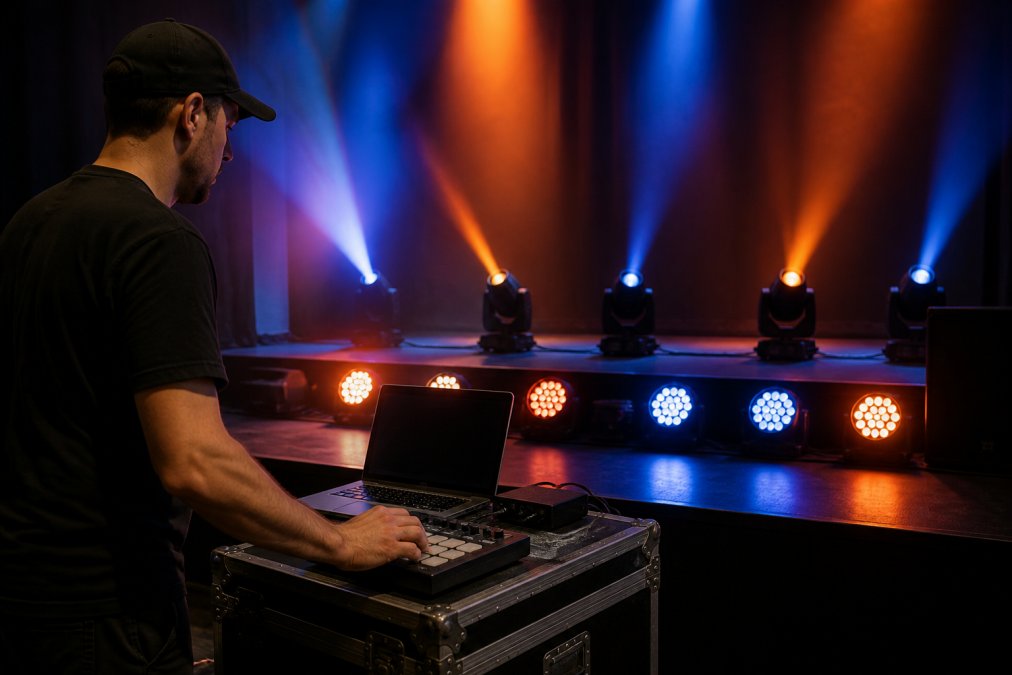
Scenes with fades are recalled from a phone, tablet, or browser. The software ships with over 12,000 fixture profiles and runs on Windows, macOS, Ubuntu, and Raspberry Pi. Once licensed, it runs with no internet connection.
Annual License vs Multi-Year License vs HUB Kits
Three ways to buy, and the right one depends on whether you already own a computer for the job.
- Annual License: software only, for a machine you already have
- Multi-Year License: two to ten years of updates and standard support in one payment
- HUB kits: a preconfigured Raspberry Pi 5 with the software installed and a one-year license included
The Network Edition HUB suits rigs that already run Art-Net nodes. The Output Kit adds a USB-to-DMX interface for plugging straight into standard fixtures with an XLR cable. The Pro Output Kit uses a buffered, hardware-timed ENTTEC DMX USB Pro for venues that need rock-solid output.
The Best DMX Software for Churches and Volunteer Teams
The best DMX software for churches is the one a volunteer can run without memorizing channel numbers. That is the real constraint in most worship spaces. Your lighting operator may change every few months, and nobody wants to rebuild the rig on a Saturday.
Scene recall solves this. A scene saves the full state of your fixtures and smart lights, and it comes back with one press from a named button. Nobody has to remember which channel does what on a Sunday morning.
For teams already running a console, DMX Smart Link accepts Art-Net and sACN input, so the desk your tech knows can feed it directly. Interoperability is a feature here, not a replacement pitch.
Integrating Smart Home Lights Into DMX Rigs
Integrating smart home lights into DMX rigs works by exposing those lights to the controller through Home Assistant or Homebridge, where they behave like any other fixture in the patch. Govee lights connect over the Govee cloud or the local network. Matter devices are supported through the same path.
DMX Smart Link Software — Annual License →
The practical payoff is fewer apps.
- Keep smart lights on a solid 2.4 GHz network
- Put the HUB on Ethernet with a fixed IP
- Test local control before relying on it for a live event
How to Use a Stream Deck for Lighting Scene Recall
Using a Stream Deck for lighting means every saved scene becomes a physical key. Plug an Elgato Stream Deck or YoloLiv YoloDeck into the HUB and the scenes you built appear as buttons. Prefer the deck at the desk and the HUB in a rack? Plug the deck into your Mac or Windows PC and the DMXSmartLink Stream Deck app drives the HUB over the network.
The workflow is short:
- Build and save your scenes in the dashboard
- Connect the Stream Deck to the HUB or to your computer
- Assign scenes to keys
- Label the keys in plain language
- Run a full cue-to-cue rehearsal before the event
MIDI Controller Mapping for Lighting Scenes
MIDI controller mapping for lighting scenes follows a simple, memorable layout. A USB MIDI controller gives you pads and faders that map directly to lighting actions, which suits anyone who already thinks in music hardware.
- Pads: recall scenes
- Fader on CC 7: rides the level
- CC 20 and CC 21: step through scenes
Which Software Fits Your Rig?
Match the software to the rig you actually own, not the rig you plan to build someday. A pure DMX setup with a console already in place needs Art-Net and sACN support and nothing more. A mixed setup with smart lights needs a controller that treats those lights as real fixtures.
Here is the short version:
| Your Situation | Recommended Setup |
|---|---|
| Computer available, mixed rig | Annual or Multi-Year License |
| No spare computer, want plug-and-play | HUB Network Edition |
| Need to plug into fixtures with XLR | HUB Output Kit |
| Venue or permanent install | HUB Pro Output Kit |
| Console feeding DMX in | Pro Dual I/O Kit |
Frequently Asked Questions
What is the easiest DMX lighting software to learn for beginners?
Software with a visual layout and named scenes is the fastest to learn. DMX Smart Link shows your fixtures on a stage view, so you click a light and set it instead of memorizing channel numbers. You save the result as a named scene and recall it with one press. A free 14-day trial with no credit card lets a volunteer test the whole workflow on the actual rig before committing.
Can I control smart lights like Govee with professional DMX lighting software?
Yes, when the software speaks both protocols. DMX Smart Link controls DMX512 fixtures alongside Govee lights over the Govee cloud or the local network, plus anything exposed through Home Assistant or Homebridge. The smart lights join the same scenes as your pars and moving heads, so one recall brings up the whole room. Device support varies, so test your exact models during the trial.
What software works best with an Elgato Stream Deck for lighting?
DMX Smart Link supports Stream Deck and YoloDeck scene keys. Plug a deck into the DMX Smart Link HUB and every saved scene becomes a key, or run the Stream Deck app on a Mac or Windows PC to drive the HUB over the network. Named AI Light Show and Slideshow setups are not yet selectable as buttons in the current beta.
Do I need a hardware interface to use DMX lighting software?
Only if you send DMX out of a cable. Network output over Art-Net needs no interface, just a compatible node or network-ready fixture. To plug into standard fixtures with a DMX cable, you need a USB-DMX interface such as the ENTTEC DMX USB Pro. The DMX Smart Link HUB kits include the right interface, and the HUB itself has no XLR ports.
How do I map a MIDI controller to my lighting software?
Connect a USB MIDI controller and assign its controls to actions. In DMX Smart Link, pads recall scenes, a fader on CC 7 rides the level, and CC 20 and CC 21 step through scenes. Label the pads with the scene names your team uses, then run a full rehearsal pass so the operator builds muscle memory before the event.
Live events do not forgive a controller that needs a second operator or a second app. DMXSmartLink builds software that runs your DMX fixtures and your Govee and smart lights from one dashboard, with scenes recalled from a phone, tablet, browser, Stream Deck, or MIDI controller. It runs on Windows, macOS, Ubuntu, and Raspberry Pi, works offline once licensed, and includes a free 14-day trial with no credit card. Get started with DMXSmartLink and run the whole room from one place.
