
Table of Contents
- Why DMX Control Matters for Mobile DJs
- Wireless vs Wired DMX: What Mobile DJs Actually Need
- Software-Based Lighting Control vs Hardware Consoles
- DMX Lighting Software for DJs: Building Your Signal Chain
- Integrating Smart Lights with DMX for Unified Control
- MIDI Controller Lighting Mapping: Triggering Scenes on the Fly
- Automated Lighting Scenes for DJs: Music-Synced Shows
- Power Distribution and Latency Management in Mobile Rigs
- Frequently Asked Questions
Last Updated: September 27, 2026
Why DMX Control Matters for Mobile DJs
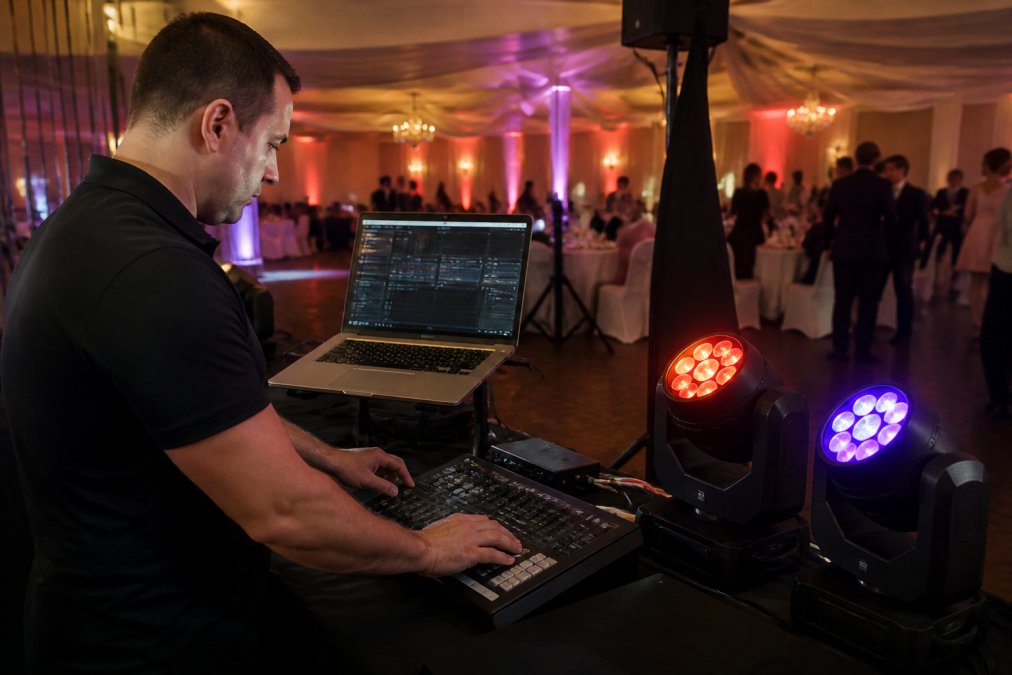
A mobile DJ's lighting rig, and the effectiveness of DMX control for mobile DJ setups, lives or dies by control speed. You're mid-set, the music shifts, and you need the entire stage to shift with it, not in five seconds, not in two. Now.
Wireless vs Wired DMX: What Mobile DJs Actually Need
Wired DMX gives zero latency and zero interference but limits range and flexibility. Wireless DMX gains mobility but risks interference from Wi-Fi, Bluetooth, and other devices. Most professional mobile DJs use a hybrid approach: wired for critical fixtures (moving heads, strobes) that demand zero latency, wireless for decorative lights and smart fixtures where a 50-millisecond delay is imperceptible.
Wireless DMX at 2.4GHz: Range, Latency, and Signal Interference
Wireless DMX operates on the unlicensed 2.4GHz band, the same frequency as Wi-Fi and Bluetooth. Range typically extends 500-1,500 feet in open space, 200-500 feet in a typical venue with walls and obstacles. Latency is usually under 20 milliseconds, imperceptible for most lighting effects. The real problem is interference from Wi-Fi, wireless microphones, or security cameras.
Wired DMX with XLR Cabling: When Reliability Trumps Portability
XLR cabling is the backbone of professional lighting. DMX512 can daisy-chain up to 32 fixtures per universe without signal degradation. Shielded twisted pair rejects electromagnetic interference far better than unshielded alternatives. Cable weight and management are real constraints: a 100-foot run weighs roughly 10 pounds. In a small venue, wired is simpler and more reliable.
Software-Based Lighting Control vs Hardware Consoles
A hardware console gives you tactile feedback and muscle memory without an operating system to fail. Software-based control runs on your laptop, tablet, or desktop and is flexible and programmable, but requires a screen and an operating system that can occasionally behave unexpectedly. Many professionals use software for programming during soundcheck, then switch to a hardware console for the actual performance.
DMX Lighting Software for DJs: Building Your Signal Chain
Your signal chain is the path your DMX data travels from your controller to your fixtures: controller → DMX output interface → cabling or wireless transmitter → fixtures. Each step must work correctly, or the entire chain fails.
Fixture Addressing and Channel Mapping Essentials
Every DMX fixture has a starting address from 1 to 512. Set a fixture's address using its physical controls, usually a menu on the back. Then tell your software the address and fixture model. Channel mapping tells your software which channels control which parameters: Channel 1 might be pan, Channel 2 tilt, Channels 3-5 RGB color. DMX Smart Link includes over 12,000 fixture profiles.
Art-Net and sACN: Networking Multiple DMX Universes
DMX512 controls up to 512 channels per universe. Larger mobile rigs need multiple universes. Art-Net and sACN transmit DMX data over your network instead of XLR cables, letting you control multiple universes from a single software interface. Art-Net uses UDP over Ethernet and works on any standard network. For mobile DJs, Art-Net is simpler and more commonly supported.
Integrating Smart Lights with DMX for Unified Control
Govee lights, LIFX, Nanoleaf, and other consumer smart lights aren't designed to speak DMX. They speak Wi-Fi or Bluetooth. DMX Smart Link controls your Govee lights, whether they're on the local network or connected through the Govee cloud.
Patching Govee Lights as Real DMX Fixtures
When you patch a Govee light in DMX Smart Link, you create a virtual DMX fixture. Assign it a DMX address, map its channels to brightness and color, and control it like any other DMX fixture. Create scenes that include both your professional moving heads and consumer smart lights, and trigger them all together from a single control surface. This eliminates app-switching.
Homebridge and Home Assistant Integration
Homebridge and Home Assistant create a unified interface for smart home devices. DMX Smart Link can control your Govee lights through those platforms, giving you more flexibility and compatibility. The experimental Home Assistant companion on Pi and Ubuntu supports compatible Govee LAN and Matter lights. On/off, brightness, RGB, and color-temperature controls depend on the specific device and integration.
MIDI Controller Lighting Mapping: Triggering Scenes on the Fly
MIDI is the language that music hardware and software use to talk to each other. Your lighting controller can send MIDI to trigger scenes and control parameters: trigger a scene with a drum pad, fade the master brightness with a fader, step through scenes with a button.
USB MIDI Controllers: Pads, Faders, and CC Messages
A USB MIDI controller is any device that sends MIDI data over USB: Akai pads, Behringer faders, or DJ mixers with MIDI output. DMX Smart Link listens for MIDI messages and converts them into lighting commands. Assign a MIDI pad to trigger your "drop" scene. When you hit that pad, DMX Smart Link receives the MIDI note-on message and fires the scene.
DMX Smart Link HUB - Pro Output Kit →
Elgato Stream Deck and YoloDeck Integration
The Elgato Stream Deck is a 15-button programmable interface. YoloDeck is a similar product. Both are perfect for lighting control because every button can trigger a scene. When you plug an Elgato Stream Deck or YoloDeck into the HUB, every saved scene becomes a key. Press the button, the scene fires instantly. This is useful for mobile DJs who want physical scene control without a full lighting console.
Automated Lighting Scenes for DJs: Music-Synced Shows
A scene is a saved state of your entire rig: which fixtures are on, what colors they're displaying, what intensity they're at, and how they transition between states. Scenes let you pre-program your entire show during soundcheck. Identify the key moments, the drop, the breakdown, the build, and create scenes that match. During the performance, trigger scenes at the right moments.
Building Scenes with Fades and Timing
A basic scene might be: all fixtures to 100% brightness, color temperature at 6500K, no movement. A sophisticated scene includes fades: all fixtures fade from their current state to the target state over five seconds. Most mobile DJs find that 1-3 second fades work well for the majority of transitions. Longer fades (5-10 seconds) work for ambient changes or build moments.
Scene Triggering from Phone, Tablet, or Browser
You can trigger your scenes from any device: your laptop at the DJ booth, your phone from the dance floor, a tablet mounted on your mixer, or a web browser on any computer on your network.
Power Distribution and Latency Management in Mobile Rigs
Mobile rigs often run on limited power. If you're running 10 fixtures, a laptop, a mixer, and wireless transmitters, you're drawing significant current. An overloaded circuit breaker can kill your entire rig.
Frequently Asked Questions
What is the best controller for mobile DJs using DMX lighting?
The best controller depends on your rig's complexity. For software-based control, DMX Smart Link runs on Windows, macOS, Ubuntu, or Raspberry Pi and handles both professional DMX fixtures and Govee smart lights in one dashboard. For hardware, a dedicated lighting console like QLC+ (open-source) or Lightkey offers tactile control. Mobile DJs often prefer software because it eliminates app fumbling during performances and lets you trigger scenes from a phone, tablet, or Stream Deck.
How do I integrate smart lights into a professional DMX rig?
Integrating smart lights with DMX requires software that patches consumer smart lights as real DMX fixtures. DMX Smart Link handles Govee lights over the local network or Govee cloud, plus anything exposed through Homebridge or Home Assistant. Once patched, your smart lights appear as addressable channels in your console, so you control them alongside traditional DMX fixtures without switching apps mid-show. This eliminates the need for separate smart-home apps during live events.
Can I use MIDI controllers to trigger DMX lighting scenes?
Yes. USB MIDI controllers work with DMX software to trigger scenes, control faders, and step through cues. With DMX Smart Link, pads on a MIDI controller recall saved scenes, a fader on CC 7 rides the master level, and CC 20 and CC 21 step forward and backward through scenes. Elgato Stream Deck and YoloDeck integration also works, so every saved scene becomes a physical button you can press during performance.
What is the difference between wireless and wired DMX for mobile DJs?
Wired DMX (XLR cabling) is rock-solid and has zero latency, but requires cable runs and setup time. Wireless DMX at 2.4GHz is faster to deploy and lets you control moving heads from anywhere in the venue, but introduces latency (typically 10-30ms) and can suffer from signal interference in crowded RF environments. For mobile DJs, a hybrid approach works best: wired for stationary fixtures, wireless for moving heads or remote zones.
How do I avoid latency problems in wireless DMX setups?
Latency in wireless DMX comes from RF transmission delay and software processing. To minimize it: use 2.4GHz wireless systems with low-latency protocols, keep transmitter and receiver in direct line-of-sight when possible, avoid competing WiFi networks on the same frequency, and test your exact rig before the event. For critical timing (strobes, color changes), use wired DMX. For moving heads and general ambiance, wireless latency is usually imperceptible to the audience.
What happens if my DMX software crashes during a live show?
Software crashes are rare if you test your rig beforehand, but preparation matters. DMX Smart Link runs with no internet connection once licensed, so cloud outages do not affect you. Save your scenes before the event, test all fixtures and integrations during the 14-day trial, and have a backup plan (a second laptop or a hardware console) for critical events. Many mobile DJs run their software on a dedicated machine separate from streaming or music software to reduce crash risk.
How many DMX universes do I need for a mobile DJ setup?
One universe (512 channels) handles most mobile DJ rigs because each DMX fixture uses only a few channels. A typical setup might use 20-40 channels: 4 channels per moving head, 3 for an RGB par, 1 for a strobe. You need multiple universes only if you exceed 512 channels. Art-Net and sACN let you run multiple universes over Ethernet, so you can expand without adding physical DMX cables.
