
Table of Contents
- Why Syncing Smart Lighting Matters for Live Events
- Comparison Table: Smart Lighting Sync Methods
- 1. DMX Lighting Control for Smart Bulbs Using Professional Software
- 2. Music Synchronization Through Art-Net and sACN
- 3. Using MIDI Controllers for Lighting Scenes
- 4. Screen Mirroring and Ambient Lighting Sync
- 5. Wireless Mesh Networks for Multi-Zone Lighting
- 6. Real-Time Synchronization with Stream Deck and Control Surfaces
- Frequently Asked Questions
Last Updated: September 28, 2026
Why Syncing Smart Lighting Matters for Live Events
The best ways to sync smart lighting are critical when you're running a live event. A mobile DJ fumbling with phone apps mid-show looks unprofessional and kills momentum. A church tech volunteer managing lights from three different interfaces wastes time and risks mistakes during a service. Small theaters with mixed DMX and smart fixtures need one unified control surface, not a patchwork of separate tools.
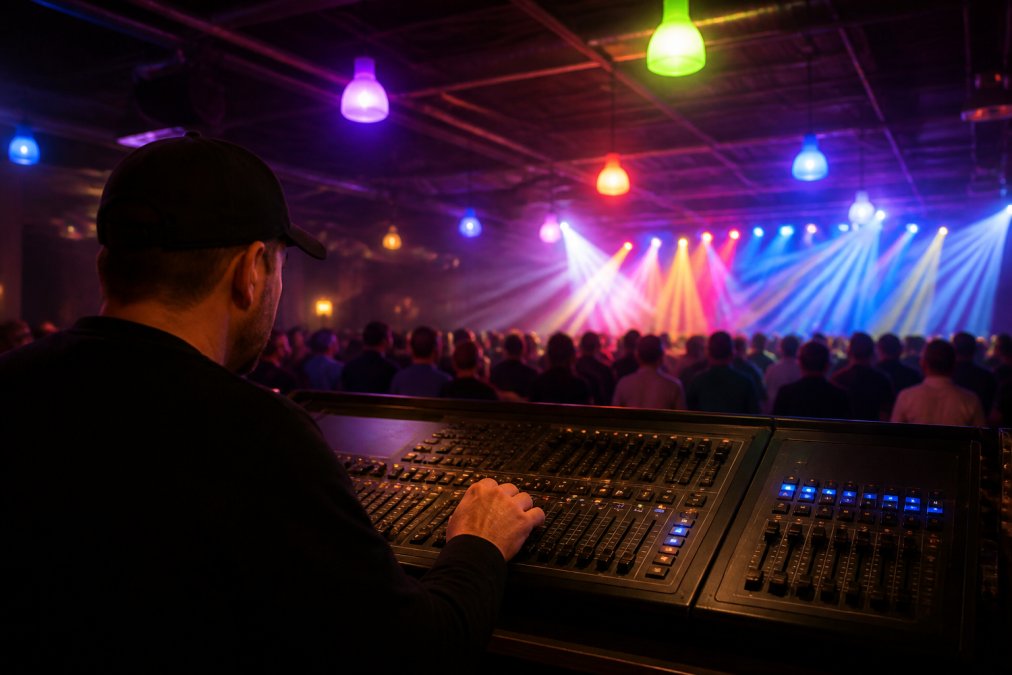
Synchronization solves a real problem: consumer smart lights and professional DMX fixtures speak different languages. Your Govee bulbs expect app commands or voice control. Your stage pars expect DMX512 over XLR cables. Speaking both protocols means choosing the right protocol and the right controller software to speak both at once.
At DMXSmartLink, we've built a professional DMX lighting controller that patches Govee and compatible smart lights directly into your lighting console as real DMX fixtures. This eliminates the app fumbling and gives you one dashboard for your entire rig. Below, we'll walk through methods to sync smart lighting, from simple network-based approaches to advanced MIDI control surfaces.
Comparison Table: Smart Lighting Sync Methods
| Method | Best For | Setup Complexity | Real-Time Control | Hardware Required |
|---|---|---|---|---|
| DMX Control via Professional Software | Mixed DMX and smart lights | Medium | Yes | USB-DMX interface or Art-Net node |
| Art-Net and sACN Protocol | Network-based rigs | Low | Yes | Ethernet connection |
| MIDI Controllers | Scene recall and fading | Medium | Yes | USB MIDI pad controller |
| Screen Mirroring and Ambient Sync | Video content and lighting | Low | Partial | Computer or tablet |
| Wireless Mesh Networks | Multi-zone coverage | High | Yes | Mesh-capable smart lights |
| Stream Deck Integration | Quick scene switching | Low | Yes | Elgato Stream Deck or YoloDeck |
| Home Assistant Automation | Smart home integration | High | Yes | Home Assistant instance |
1. DMX Lighting Control for Smart Bulbs Using Professional Software
Professional DMX control software transforms consumer smart lights into real DMX fixtures. Instead of managing Govee through its app, you patch them into your lighting console alongside your stage pars, moving heads, and uplights. The software translates DMX commands into the network protocols smart lights understand, giving you unified control.
This approach works because your console doesn't need to know what's on the other end of a DMX line. It sends channel data. The controller software receives that data and routes it to whatever fixtures you've patched: traditional DMX gear or smart lights over the network. One unified interface. One saved scene recalls everything.
How DMX Control Differs from App-Based Sync
App-based control requires you to manage each light individually through separate interfaces. Govee app for the smart bulbs, console software for the stage lights, maybe a third app for haze machines. During a live event, switching between apps is slow and error-prone.
DMX control unifies everything. Your console sends one DMX signal. The controller software interprets that signal and distributes commands to all your fixtures at once. Scenes save the entire state, no manual reconstruction needed.
The latency difference matters too. App-based control often depends on cloud connectivity and wireless network stability. DMX and Art-Net run locally over Ethernet or direct connections, delivering faster response times. For music-reactive lighting or fast scene changes, that speed is essential.
Setting Up DMX Output to Smart Lights
Start with your hardware setup. If you're using traditional DMX fixtures, you need a USB-DMX interface or an Art-Net node to convert software commands into physical DMX signals. The DMX Smart Link HUB offers multiple configurations depending on your needs: the DMX Smart Link HUB - Output Kit (Basic DMX Output) includes a USB-DMX interface for small rigs, while the DMX Smart Link HUB - Pro Output Kit (ENTTEC DMX USB Pro) uses an ENTTEC DMX USB Pro for venues requiring hardware-timed, buffered output.

Next, configure your software. Import your fixture profiles into your lighting controller. Most professional software includes thousands of fixture profiles for standard gear. For smart lights, the software needs to know their capabilities: brightness range, color modes, fade speed. DMX Smart Link includes over 12,000 fixture profiles and supports Govee lights over the Govee cloud or the local network, plus anything exposed through Home Assistant or Homebridge.
Finally, patch your fixtures. Assign each light a DMX address and universe. Save a test scene with all fixtures at full brightness, then verify output. Test your fade timing, color transitions, and scene recall before your first live event.
2. Music Synchronization Through Art-Net and sACN
Art-Net and sACN are network protocols that carry DMX data over Ethernet. Instead of sending DMX through a cable, your lighting software broadcasts DMX universes across your network. Any device listening on that network can receive and act on those commands.
DMX Smart Link HUB - Network Edition →
This approach scales easily. Add a new Art-Net node or a network-enabled fixture, and it receives the same DMX data as everything else on the network.
3. Using MIDI Controllers for Lighting Scenes
MIDI controllers, USB pads, faders, and encoders, give you physical buttons for scene recall and real-time lighting adjustments. Instead of clicking scenes in software, you press a pad. Instead of dragging a fader on screen, you move a physical fader. Integrating these tactile controls with automated AI lighting design allows for a more intuitive transition between manual performance and sophisticated environmental ambiance.
MIDI Pad Mapping for Real-Time Scene Recall
Map each pad to a specific scene. Your intro scene on pad 1, verse on pad 2, chorus on pad 3. During the performance, you press pads in sequence. No menu navigation, no clicking. The lighting responds instantly.
Fader Control for Fade Timing
A MIDI fader riding CC 7 controls the master brightness of all fixtures simultaneously. This is useful for fade-outs at the end of a song or for dimming the house lights before a performance starts.
4. Screen Mirroring and Ambient Lighting Sync
Screen mirroring uses your smart lights to reflect colors from video content on a screen. A video plays on a projector or monitor. Your lighting software samples the dominant colors frame by frame and drives your smart lights to match. The result: your stage lights respond to the content in real time.
5. Wireless Mesh Networks for Multi-Zone Lighting
Wireless mesh networks let smart lights communicate directly with each other, extending range and reducing dead zones. Instead of each light connecting to your WiFi router, lights relay signals through neighboring lights, creating a self-healing network.
6. Real-Time Synchronization with Stream Deck and Control Surfaces
An Elgato Stream Deck or YoloLiv YoloDeck gives you a physical button grid for scene control. Every saved scene becomes a button. Press a button, the scene recalls instantly. The buttons display custom labels and colors, so you can see at a glance which scene is active.
Frequently Asked Questions
Can you sync smart lights to music without a dedicated hub?
Yes, but with limitations. Basic app-based sync works for simple color changes, but lacks precision and real-time responsiveness. A dedicated DMX lighting controller like the DMX Smart Link HUB delivers hardware-timed output and synchronization. Professional setups use Art-Net or sACN over your network, which requires a DMX Smart Link HUB or Art-Net node to translate software commands into physical DMX signals that drive your lights with millisecond accuracy.
What is the difference between software-based lighting sync and DMX control?
Software-based sync relies on your computer's processor to time light changes, creating variable latency depending on system load. DMX control uses dedicated hardware with internal frame buffers and clocked timing, ensuring consistent output regardless of CPU activity. DMX also supports 512 channels per universe and professional protocols like Art-Net and sACN, making it the standard for venues, churches, and mobile performances where reliability matters.
How do I integrate consumer smart lights into a professional lighting rig?
Patch your Govee or smart lights into your lighting console as real DMX fixtures using professional software like DMX Smart Link. The software speaks both DMX512 and Art-Net, so it controls your traditional DMX fixtures and smart lights from one dashboard. Connect smart lights through Home Assistant or Homebridge, then save unified scenes combining both fixture types. This eliminates app fumbling mid-show and gives you one control surface for your entire rig.
Can smart lights be controlled by a lighting console?
Yes, through a professional DMX controller. Your console sends Art-Net or sACN over your network to software like DMX Smart Link, which then drives your smart lights alongside traditional DMX fixtures. This approach works with QLC+, Lightkey, grandMA, and other professional software. The DMX Smart Link HUB accepts Art-Net and sACN input, so your existing console workflow stays unchanged while your smart lights respond in real time.
What causes latency and lag in smart lighting synchronization?
Latency comes from multiple sources: software-timed DMX output, network delays, WiFi interference, and device processing time. Minimize it by using hardware-timed interfaces like the ENTTEC DMX USB Pro, placing your hub on a wired Ethernet connection, keeping Govee lights on a solid 2.4 GHz network, and avoiding software-timed USB interfaces for mission-critical work. Professional venues use buffered, clocked DMX output with dedicated Art-Net nodes to maintain sub-frame timing.
