
Table of Contents
- Why Expensive Lighting Consoles Don't Have to Be Your Only Option
- Software-Based Controllers vs. Hardware Consoles: What Actually Matters
- Best Software for Controlling DMX Lighting on a Budget
- Integrating Smart Home Lights into DMX Rigs
- Hardware-and-Software Hybrid Setups: The Sweet Spot
- Total Cost of Ownership: Console vs. Software Setup
- Common Mistakes When Moving Away from Traditional Consoles
- Frequently Asked Questions
Last Updated: September 19, 2026
Why Expensive Lighting Consoles Don't Have to Be Your Only Option
Professional lighting consoles cost thousands of dollars, putting professional-grade control out of reach for most small venues, churches, and mobile DJs. But the lighting industry has shifted. Software-based controllers, smart home integration, and hybrid setups now deliver professional results at a fraction of that cost. The alternatives to expensive lighting consoles have matured into legitimate choices that often outperform traditional hardware in flexibility and ease of use.
Software-Based Controllers vs. Hardware Consoles: What Actually Matters
A hardware console is a dedicated device with physical faders and buttons. A software controller runs on a computer, tablet, or Raspberry Pi. Hardware consoles excel at tactile control during live shows, but cost money upfront and lock you into a single device. Software controllers run on hardware you already own, scale to unlimited universes through Art-Net, and let you control lights from a phone or tablet. The real trade-off is familiarity: if your team knows a specific console, the learning curve feels steep. For new setups or small venues, software wins on cost, flexibility, and future-proofing.
Channel Count and Universe Scaling
A single DMX universe holds 512 channels. Most small venues fit within one universe: a church sanctuary with 20 dimmable fixtures and a few moving heads uses roughly 150 channels. Hardware consoles strain when you scale beyond one universe and require additional hardware modules. Software controllers handle multiple universes through Art-Net or sACN with no additional cost. For theaters running 1,500+ channels across three universes, a software-based approach with Art-Net becomes significantly cheaper than stacking hardware.
Latency and Real-Time Performance
Latency is the delay between pressing a button and seeing the light respond. Hardware consoles deliver sub-20ms latency. Software controllers on a decent computer hit 30-50ms, plus another 10-20ms from USB-to-DMX interfaces. For live events, this is rarely noticeable. For video synchronization or fast chases, use a hardware-timed USB-DMX interface like the ENTTEC DMX USB Pro, which buffers the signal and removes jitter.
Best Software for Controlling DMX Lighting on a Budget
Three software options dominate the small-venue and mobile DJ space: DMX Smart Link, QLC+, and FreeStyler. Each solves different problems.
DMX Smart Link HUB: Ready-to-Run Professional Control
The DMX Smart Link HUB arrives fully configured with software preinstalled and licensed. Plug it in, add your lights, save your scenes, and you're running. What makes it different from a generic PC is integration: the HUB controls Govee smart lights and traditional DMX fixtures from a single dashboard. You patch both types as real fixtures, save scenes that include both, and recall them from a phone, tablet, or Stream Deck. This eliminates app-switching mid-show. The HUB runs on a Raspberry Pi 5 with over 12,000 fixture profiles and supports Art-Net and sACN input, so it works alongside professional lighting software you already use. For churches, one dashboard replaces three apps and one button press recalls the entire service lighting state. The DMX Smart Link HUB - Output Kit includes a USB-to-DMX interface. The DMX Smart Link HUB - Pro Output Kit adds a professional ENTTEC interface for venues that demand rock-solid timing.

DMX Smart Link Software: Maximum Flexibility on Your Hardware
The DMX Smart Link Software runs on a computer or Raspberry Pi you already own. You install the software, activate your license, and configure your fixtures. It gives you the same dashboard and scene recall as the HUB, but you control the hardware. This works best when you already have USB-DMX interfaces or Art-Net nodes. The trade-off is setup: you'll configure your own network, select and purchase a USB-DMX interface separately, and troubleshoot driver issues if they come up. For technical users, this is fine. For volunteers managing church lighting, the HUB's plug-and-play approach is worth the difference.

Open-Source Options: QLC+ and FreeStyler
QLC+ and FreeStyler are free, open-source options that run on Windows, macOS, and Linux. Both control DMX fixtures through USB-to-DMX interfaces and support Art-Net. The catch: neither integrates Govee or other smart home lights. If your rig is 100% traditional DMX fixtures, QLC+ is a legitimate choice. If you're mixing smart lights with professional fixtures, you'll need a separate system to control the smart lights, which defeats the purpose.
| Software | Best For | Smart Light Support | Cost | Learning Curve |
|---|---|---|---|---|
| DMX Smart Link HUB | Churches, DJs, small venues | Yes (Govee, Home Assistant) | Hardware + software included | Minimal |
| DMX Smart Link Software | Technical users with existing hardware | Yes (Govee, Home Assistant) | Software only | Low |
| QLC+ | Budget-conscious users, traditional DMX only | No | Free | Moderate |
| FreeStyler | Educational, hobbyist setups | No | Free | Moderate |
Integrating Smart Home Lights into DMX Rigs
Consumer smart lights cost significantly less than professional DMX fixtures. If you're building a rig on a budget, mixing smart lights with a few quality DMX fixtures makes financial sense.
Why Smart Lights Cost Less Than Traditional Fixtures
Smart lights are manufactured at scale for the consumer market; professional DMX fixtures are made in smaller quantities. Volume drives cost down. Smart lights work for uplighting, accent lighting, and close-range illumination. For long-throw washes across a stage, you need professional fixtures. The solution is hybrid: use smart lights for color and mood, professional fixtures for key light and coverage.
Patching Govee and Other Smart Lights as Real DMX Fixtures
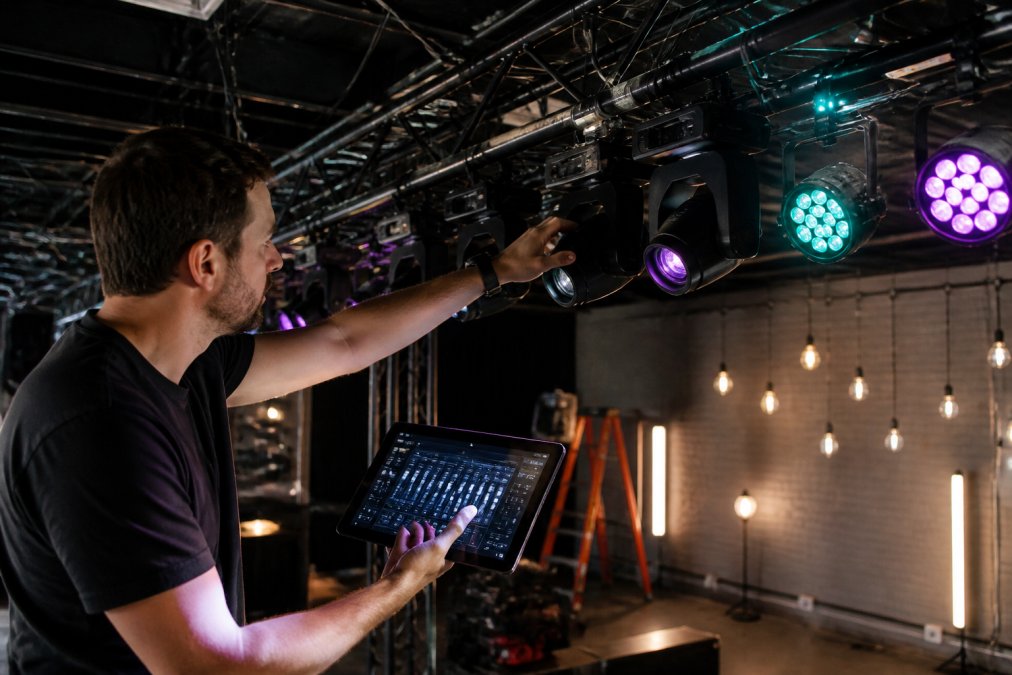
Smart lights run through the Govee app while DMX fixtures run through your console, forcing you to switch between two systems mid-show. DMX Smart Link solves this by patching smart lights as real DMX fixtures. You select your Govee lights, assign them DMX addresses, and they appear in your lighting dashboard alongside your physical fixtures. A scene that includes both types saves as a single cue. This works through the Govee cloud or local network control via Home Assistant. Your volunteer tech, DJ, or lighting designer operates one interface and sees a unified rig.
DMX Smart Link HUB - Network Edition →
Hardware-and-Software Hybrid Setups: The Sweet Spot
A hybrid setup runs software on a computer or dedicated appliance and outputs DMX through a USB-to-DMX interface. This is the most practical architecture for small-to-medium venues.
You get the flexibility of software, unlimited universes, easy reconfiguration, phone control, combined with the reliability of dedicated hardware.
When to Use Art-Net Instead of Physical DMX Cables
Art-Net sends DMX data over Ethernet. Instead of running DMX cables from your console to your fixtures, you run network cables. This works when your fixtures or nodes support Art-Net natively.
Art-Net is ideal when:
- Your venue already has solid Ethernet infrastructure
- You're running more than 512 channels across multiple universes
- You want to eliminate long DMX cable runs
- Your fixtures are networked (moving heads, LED panels, intelligent fixtures)
USB-to-DMX Interfaces: The Missing Link
A USB-to-DMX interface is the bridge between your computer and your lighting rig. It converts the DMX signal from software into a physical DMX output.
Total Cost of Ownership: Console vs. Software Setup
A traditional high-end console costs thousands of dollars upfront. A software-based setup costs significantly less for hardware and software combined.
Common Mistakes When Moving Away from Traditional Consoles
Most teams make three predictable mistakes when switching from a console to software control.
Frequently Asked Questions
Can I really control professional DMX fixtures without buying an expensive console?
Yes. Software-based DMX controllers run on computers or dedicated appliances and handle the same fixture count as hardware consoles. The difference is cost: software solutions eliminate the markup of physical hardware. You'll still need a USB-to-DMX interface to output to fixtures, but that's a fraction of a traditional console's cost. A free 14-day trial lets you test your exact fixtures before committing.
What's the best software for controlling DMX lighting in a small venue or church?
DMX Smart Link is purpose-built for venues like yours. It patches Govee smart lights and traditional DMX fixtures into one dashboard, recalls scenes from a phone or tablet, and works on Windows, macOS, or a Raspberry Pi. QLC+ is free and powerful if you're comfortable with open-source software. Both accept Art-Net and sACN, so they integrate with lighting software you may already own.
How do I integrate smart home lights like Govee into my professional DMX rig?
Patch them as real DMX fixtures using software that speaks both protocols. DMX Smart Link translates Govee lights and other smart devices into DMX channels, so they respond to the same scenes and faders as your traditional fixtures. No app switching mid-show. Everything runs from one interface, and you can save complex lighting states as scenes that recall in one press.
Is a software-based setup reliable enough for live events?
Yes, if you test it first. Software-based controllers have no moving parts and run on standard computers. The risk is setup and configuration, not the software itself. Run a full soundcheck with your exact fixtures, save your scenes, and verify everything responds correctly. Most failures happen from untested configurations, not from the software crashing during a show.
