Created captivating light shows that wowed audiences during live performances.
DMX Smart Link HUB - Output Kit (Basic DMX Output)
DMX Smart Link HUB - Output Kit (Basic DMX Output)
Arrives configured and licensed. Plug in power and network.
Regular price
$379.00
Sale price
$379.00
Regular price
Unit price
per
Your stage lights and the Govee lights you already own, on one button.
-
Scenes your team runs by name: "Sunday Service", "Wedding", "All Off"
-
A full DMX console: Art-Net and sACN in and out
-
Govee lights sign in and appear next to your stage lights
-
Stage lights over Art-Net, sACN or the USB DMX interface in the kit
-
Run it from a phone, any browser or a Stream Deck
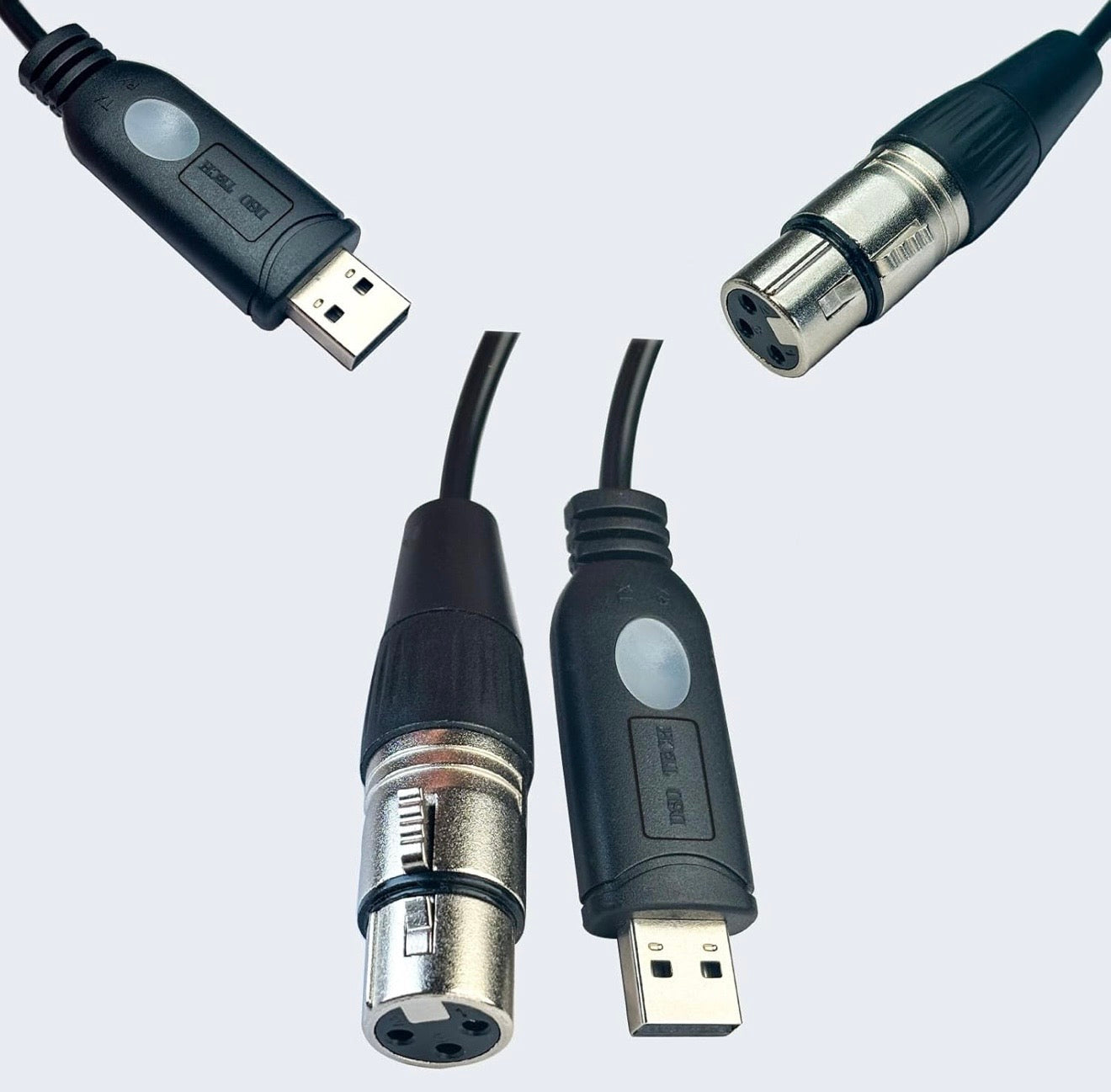
Best for most first-time DMX users: everything in the Network Edition, plus a USB-to-DMX interface so you can plug straight into standard DMX fixtures with an XLR cable. DMX output only.
New (September 2026): Stream Deck and YoloDeck support.
Plug an Elgato Stream Deck or YoloLiv YoloDeck into the HUB and every saved scene becomes a key. Prefer the deck at the desk and the HUB in a rack? Plug the deck into your Mac or Windows PC, run the DMXSmartLink Stream Deck app, and it drives the HUB over the network.

Also new: runs with no internet (a valid licence is all it needs), local Govee control through Home Assistant with colour changes in under 0.3 s, Matter devices, a touch kiosk mode on a Pi with a screen, and OSC plus a control API for QLab, TouchOSC and Companion.
| Compare the Kits | Network Edition | Output Kit (Basic) | Pro Output Kit | Pro Dual I/O Kit |
|---|---|---|---|---|
| Ready-to-run hub (software pre-installed) | ✓ Yes | ✓ Yes | ✓ Yes | ✓ Yes |
| Controls Govee & other smart lights | ✓ Yes | ✓ Yes | ✓ Yes | ✓ Yes |
| Network control (Art-Net / sACN) | ✓ Yes | ✓ Yes | ✓ Yes | ✓ Yes |
| Physical DMX OUT (XLR) interface included | Add-on needed * | Standard | Pro-grade | Pro-grade |
| DMX interface in the box | None | 1× USB-DMX | 1× pro USB-DMX | 2× pro USB-DMX |
| DMX INPUT (feed from your console or software) | — | — | — | ✓ Yes |
| Send AND receive DMX at the same time | — | — | — | ✓ Yes |
| Software + 1-year license included | ✓ Yes | ✓ Yes | ✓ Yes | ✓ Yes |
| Best for | Stage lights over Art-Net or sACN nodes, plus smart lights | A few pars or uplights. Homes and small rooms | Venues, churches and DJs. The one most rooms pick | Rooms with a lighting console feeding DMX in |
* Every edition is a full DMX console with Art-Net and sACN in and out. The Network Edition drives stage lights through any Art-Net node or Art-Net-to-DMX bridge box you already have. To send DMX straight out of a cable, add a USB DMX interface (sold separately) or pick an Output Kit, which already includes one.
Run real DMX fixtures and smart lights together — plug-and-play. This kit adds DMX output to the Smart Link Hub, so your professional lighting software drives your actual DMX rig and your Govee smart lights from one place, It arrives configured; you add your lights and save your scenes.
Plug-and-play DMX output with network control built in.
The DMX Smart Link HUB – Output Kit adds physical DMX output to the Smart Link platform using a USB-to-DMX interface. Control DMX fixtures directly from Art-Net, smart lighting platforms, or the built-in web dashboard — It arrives configured; you add your lights and save your scenes.
⚠️ Important Note
This kit provides DMX OUTPUT only.
It does not support simultaneous DMX input.
👉 If you need DMX input and output at the same time, see the Pro Dual I/O Kit.
🔑 What’s Included
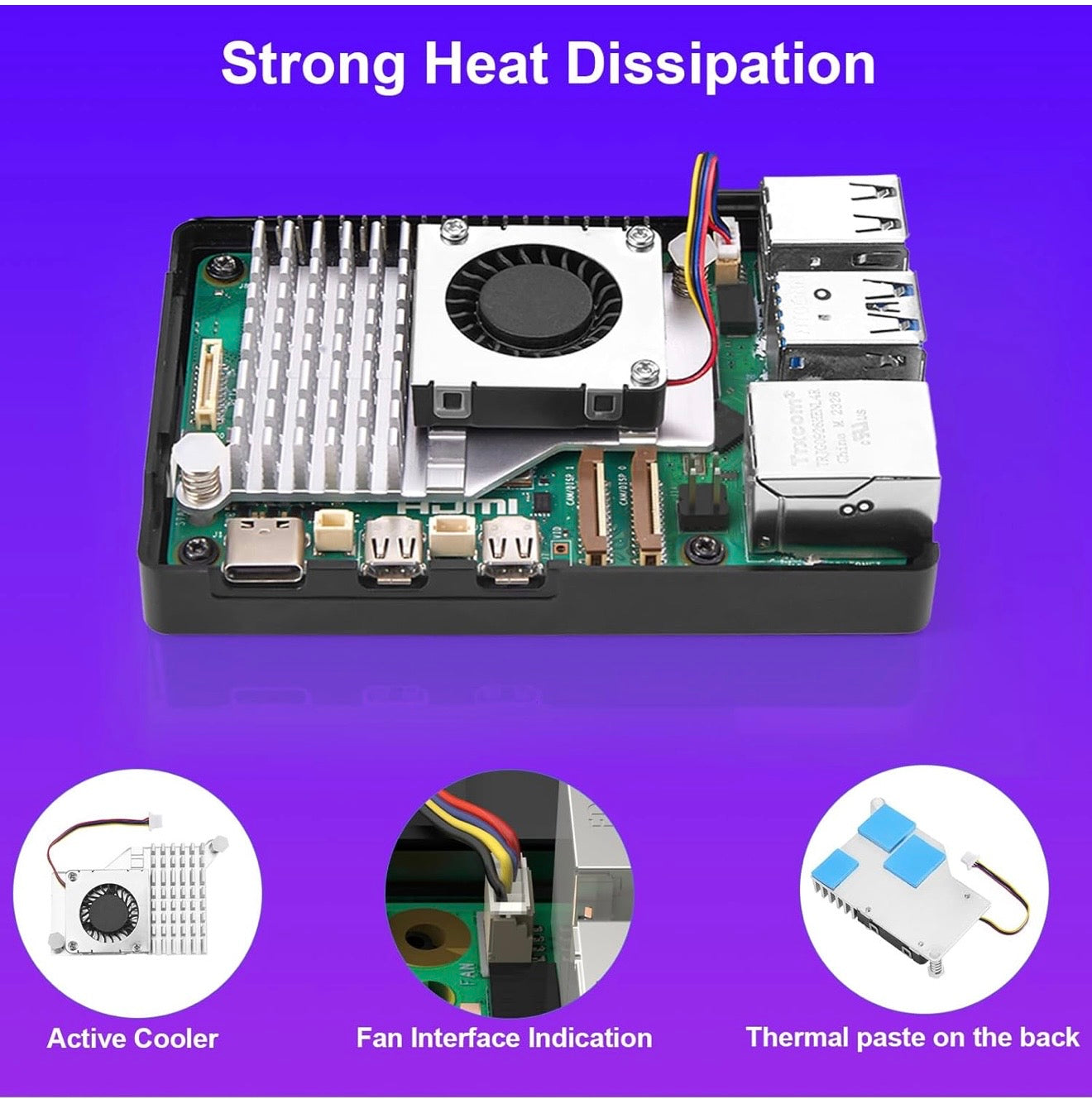
- 1× DMX Smart Link HUB (Raspberry Pi 5, fully configured)
- 1× micro-HDMI to HDMI cable (only if you ever want a screen on it)
- 1× USB-to-DMX Output Interface (Open DMX compatible)
- 1× Pre-installed microSD card
- 1× Power adapter
- 1× Quick Start Guide
- 🔐 DMX Smart Link Software (1-Year License included)
👤 Who This Is For
- 🎧 DJs needing reliable DMX output from Art-Net
- 🎭 Small venues and mobile rigs
- 🏠 Smart-home users adding DMX fixtures
- ⛪ Churches and production teams with simple output needs
- 🔌 Users who don’t need DMX input capture
✨ Key Features & Benefits
-
🔌 Physical DMX Output via USB
Output DMX directly to fixtures using a reliable Open-DMX compatible interface. -
🌐 Art-Net to DMX controller
Route Art-Net from the lighting software you already use to physical DMX fixtures. - 🧩 Visual Control Dashboard (Manual Fixture/Group Control)
Includes a powerful web-based Visual Control interface for:- Manual control of fixtures and groups
- Testing DMX universes and patching
- Verifying output and configuration during setup
- Perfect for troubleshooting and system validation before showtime.
- 🎵 Lights that follow the music. Feed it audio from your mixer's booth output, a USB sound card or Bluetooth from a phone, and every fixture and smart light moves with the beat. Describe the feel you want in a sentence and it builds the show. Save it as a scene and press it when you need it. Optional: play a YouTube link and sync the show to it.
-
🎛 Built-In Web Dashboard
Control lights, groups, colors, brightness, and effects via browser at
from any browser on your network -
🎨 Smart Light Integration
Control Govee smart lights alongside DMX fixtures in unified scenes. -
🎙 Alexa Integration
Control Alexa connected Smart Lights via DMX software. -
🌌 Multi-Universe Support
Supports multiple Art-Net universes with configurable mapping. -
🧠 Automatic Device Detection
USB-to-DMX interface is auto-detected and configured.
🔌 Physical DMX Details
- DMX Mode: Output only
- Connection: USB-to-DMX
- Compatibility: Open DMX / Open-DMX compatible devices
- XLR Type: Depends on connected cable (sold separately)
📦 What’s NOT Included
- DMX cables (3-pin or 5-pin)
- DMX adapters
- DMX input hardware
Accessories available separately.
🔐 License Information
- Includes 1-year DMX Smart Link license
- License is pre-activated
- Renewable after 12 months
🧭 Upgrade Path
Need professional DMX hardware or bidirectional control?
👉 Upgrade to the Pro Output Kit or Pro Dual I/O Kit for ENTTEC DMX USB Pro support.
📱 Companion App
Companion iPhone App (Free)
Manage your DMX Smart Link HUB from your phone — view device status, manage settings, and control key features through the companion app.
If you get stuck, a person answers.
Email support@dmxsmartlink.com, or message us on Discord any time. The Discord is open any time, and it is where owners and the people who build DMX Smart Link answer setup questions every week. Step-by-step guides and videos are on the documentation page.
After the first year: every HUB includes 12 months of software updates and support. Renewal is an annual license. We email you a reminder before it expires and again on the expiry date, so the lighting keeps running.
For your AV person
DMX out through the USB interface in the kit (ENTTEC DMX USB Pro, hardware-timed, or Open DMX); the HUB itself has no XLR ports. Art-Net and sACN in and out, multiple universes. Scenes store the full DMX frame per universe. Scene recall from the web dashboard, the iPhone app, a Stream Deck, OSC and a control API. Put the HUB on Ethernet with a fixed IP; keep Govee lights on a solid 2.4 GHz network. Fixture library: 12,000+ profiles, QLC+ import, Open Fixture Library and FreeStyler export. Questions before you spec it: support@dmxsmartlink.com or Discord.
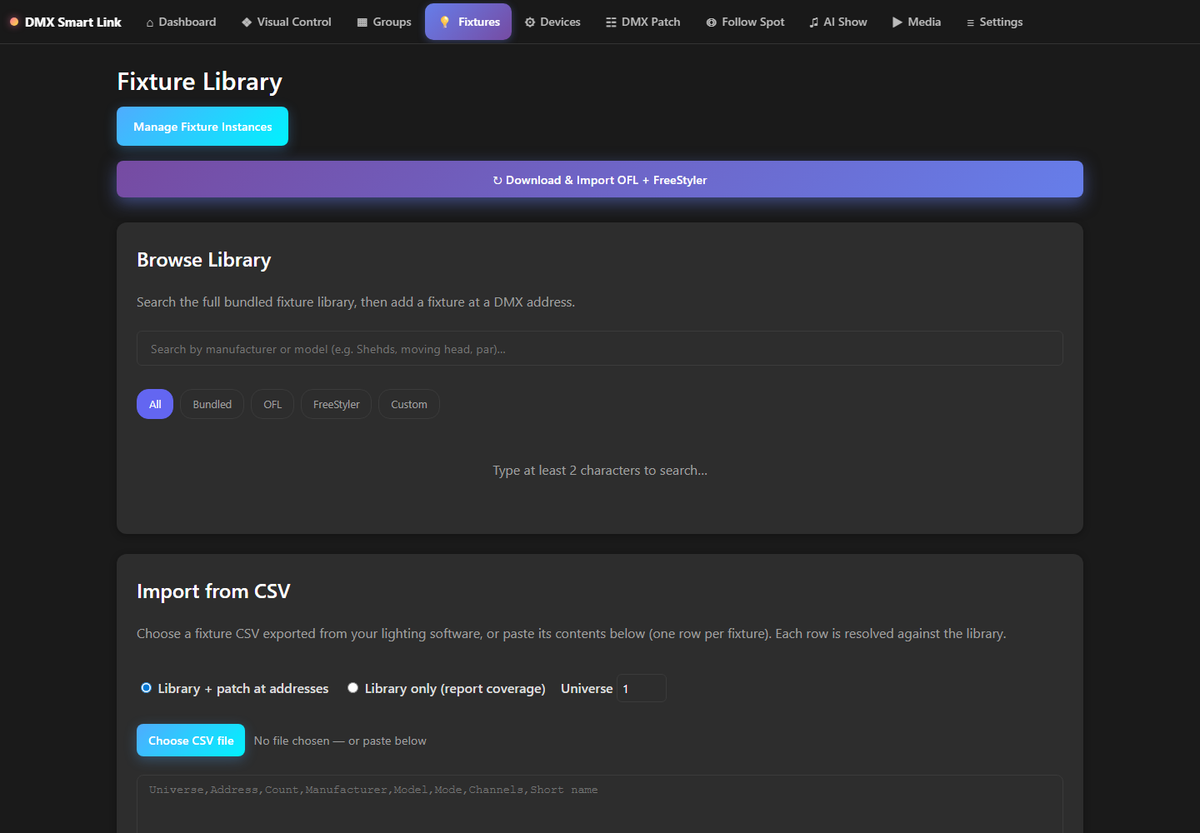
See the current interface
Visual Control in release 2026.09.19.0031, with saved scenes and a real lighting layout. Example fixtures shown are not included.

How does this fit the lights and software I already have?
The HUB is the controller. Your stage lights plug into the DMX interface that comes in the kit; your Govee lights sign in over Wi-Fi. If you already use LightKey, QLC+, Madrix or a console, it can feed the HUB over Art-Net or sACN and your smart lights appear as fixtures on the same universe.
Can it run my wired DMX lights?
Yes, with an Output kit. The HUB sends DMX through the ENTTEC or Open DMX USB interface included in the kit. Multiple universes are supported.
What support comes with it?
A 12-month license with updates. Email support@dmxsmartlink.com.
We ship within the United States and your order confirmation includes tracking. Details are in our Shipping Policy and Return Policy. Not sure which kit fits your lights? Email support@dmxsmartlink.com a photo before you order and we will tell you.

DMX Smart Link HUB - Ou...
Regular price
$379.00
Sale price
$379.00
Regular price
Unit price
per