
Table of Contents
- How Smart Lights Work in a Live Environment
- Physical Safety: Heat Dissipation, Electrical Load, and Fire Risk
- Network Security and Privacy Risks for Live Shows
- DMX Lighting for Small Venues: Integrating Consumer Fixtures Safely
- Integrating Govee with DMX Consoles: What to Know Before Showtime
- Smart Light Latency Issues: Causes and Fixes for Live Performance
- Pros and Cons of Smart Lights for Live Events
- Frequently Asked Questions
Last Updated: September 22, 2026
How Smart Lights Work in a Live Environment
Is it safe to use smart lights live? Yes, with the right setup. Smart lights are safe for live shows when you control heat, electrical load, and network access. At DMXSmartLink, we help DJs, churches, and small venues run smart lights alongside DMX gear every week.
Consumer smart lights were built for a living room, not a stage.
Wi-Fi, Zigbee, and the Control Path
A smart light is a light fixture with a small computer inside that joins your network and waits for commands.
The control path matters for live work:
- Wi-Fi lights connect straight to your router. Easy to set up, but crowded networks cause delays.
- Zigbee lights talk to a hub first. More stable, but you need the hub nearby.
- DMX fixtures use a wired signal. No network, no lag.
Where Latency Comes From
Latency is the delay between pressing a button and seeing the light change. On a home network it is invisible; on stage it is not.
Three things cause it:
- A crowded Wi-Fi channel with phones and laptops competing
- Cloud round-trips, where a command travels to a server and back
- Weak signal strength at the fixture
Physical Safety: Heat Dissipation, Electrical Load, and Fire Risk
Heat and wiring are the two physical risks with smart lights. Both are manageable. Both get ignored, and both are where a live rig actually fails.
Heat Dissipation and Fire Hazard Basics
A smart bulb converts most of its input into light, but the driver board, the radio, and the power supply all shed heat. In an open fixture that heat escapes; in a closed fixture it stacks up.
A fire hazard appears when heat cannot escape:
- Fixtures packed inside a closed, unvented box or a sealed can
- Lights left at full brightness for hours with no airflow
- Cheap fixtures with undersized heat sinks and no thermal cutoff
- Fabric, foam, or drape pressed against the lens or base
A few practical rules keep you clear of it:
- Match the fixture to the enclosure. A bulb rated for an enclosed fixture carries a higher temperature rating than one rated for open air. Check the label before you mount it.
- Leave air space around every fixture. A finger's width of clearance on all sides is a reasonable minimum.
- Never bury smart lights inside fabric, foam, or a sealed road case.
- Dim rather than run at full output for long static holds. Lower drive current means lower heat.
- Touch-test after the first hour. If a base is too hot to hold, it is too hot for that enclosure.
Electrical Load and Older Wiring
Every fixture adds to the electrical load on a circuit. Add too many, and you trip a breaker mid-show. Add them to bad wiring, and you create a real hazard.
- The amp rating of the circuit you plan to use
- The wattage of each fixture
- The total load, which must stay under the circuit limit
Walk the venue before load-in. Find the breaker panel, note which circuits feed the stage, and write the amp rating on tape next to each outlet. Five minutes of prep beats a dark show.
Network Security and Privacy Risks for Live Shows
Any device on your network is a possible entry point, and smart lights are no different. They hold a small computer, a radio, and a network connection, and most phone home to a cloud service.
Cybersecurity Risks and Unauthorized Access
A poorly secured smart light can be reached by someone outside your venue. That is a real cybersecurity risk, not a theoretical one; consumer IoT devices have been used as entry points into larger networks for years.
The main threats:
- Weak or default passwords on the light or its hub
- Unencrypted traffic that can be read on the network
- Old firmware with known flaws
- Cloud accounts with reused credentials
Put smart lights on a guest or IoT network, not your main one. If a fixture is ever compromised, it cannot reach your other devices. If your router supports it, give the lighting network its own name and password and keep the admin page off the main LAN.
Data Privacy and Firmware Updates
Smart lights are data-collecting devices, and the data they collect is broader than most owners expect.
- Device identifiers and MAC addresses
- Wi-Fi network names and signal strength
- On and off times, brightness levels, and color choices
- App usage patterns and phone model
- Location data, if the app requests it
A practical routine for venues:
- Update firmware on a maintenance day, not a show day
- Re-check privacy settings after major app updates, since defaults sometimes change
- Keep a written list of which fixtures are cloud-controlled and which are local
- Review the maker's privacy policy once a year, or when you add a new brand
Treat every smart light as a network device and a data-collecting device at the same time. Separate the network, prefer local control where you can, and read the privacy policy before the fixture is on your rig, not after.
DMX Lighting for Small Venues: Integrating Consumer Fixtures Safely
DMX lighting for small venues works best when consumer fixtures join the same control system as your pro gear. One console, one operator, one show.
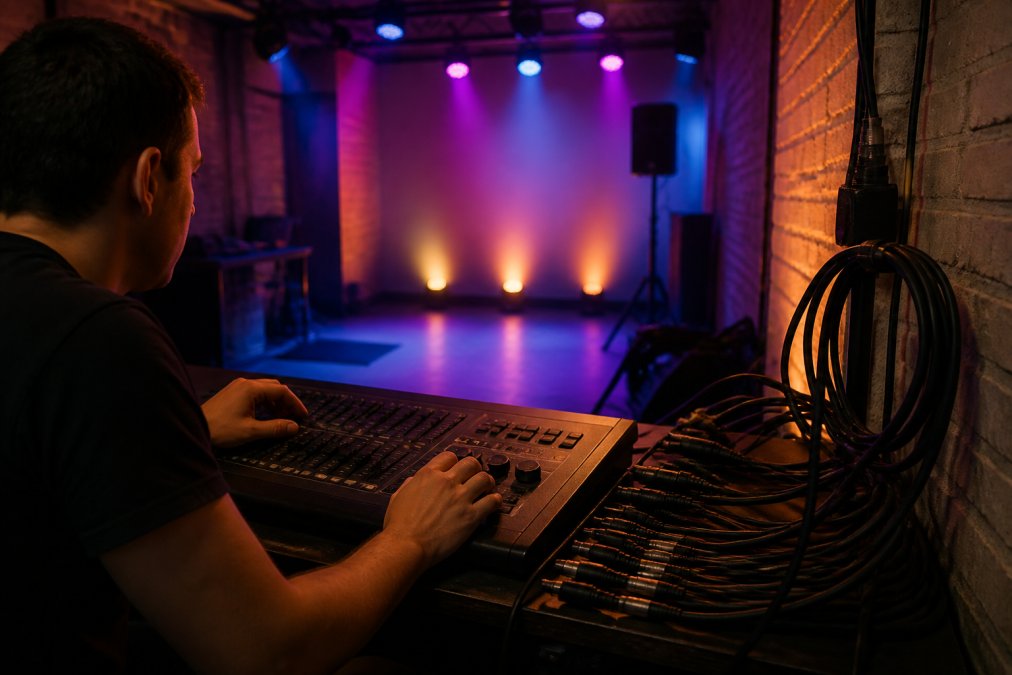
Here is what that looks like in practice:
- Smart lights get a DMX address, just like your movers
- Scenes recall from the console, a Stream Deck, or a MIDI pad
- Fades and levels run from the same dashboard
Integrating Govee with DMX Consoles: What to Know Before Showtime
Integrating Govee with DMX consoles comes down to one question: can your console speak to the light? DMX Smart Link handles that translation. It speaks both protocols, so Govee lights answer to DMX cues.
Before showtime, run through this checklist:
- Confirm every Govee light responds to a test cue
- Save each scene and recall it once to prove it loads
- Check that fades look smooth, not steppy
- Test on the same network you will use live
- Keep a manual fallback in case the network drops
Test your full cue list on the venue network before doors open. A scene that works at home can behave differently on a crowded venue network.
Smart Light Latency Issues: Causes and Fixes for Live Performance
Smart light latency issues come from the network, not the light. Fix the network and the delay mostly disappears.
Common causes and their fixes:
| Problem | Cause | Fix |
|---|---|---|
| Slow cue response | Cloud round-trip | Switch to local network control |
| Random dropouts | Crowded Wi-Fi channel | Move lights to a dedicated network |
| Laggy fades | Weak signal at fixture | Add a hub or access point nearby |
| Missed cues | Phone app delay | Trigger from a console or MIDI pad |
Pros and Cons of Smart Lights for Live Events
Smart lights bring real benefits to a live rig, and real trade-offs. Know both before you commit.
Pros:
- Low cost compared to pro fixtures
- Easy to add color and ambient lighting
- Wireless, so less cable to run
- Work with home automation and DMX control together
Cons:
- Depend on a network, which can fail
- Can add latency if not set up right
- Weaker build quality than stage fixtures
- Data privacy and firmware upkeep add work
Frequently Asked Questions
What are the downsides of smart lights for live shows?
Smart lights can introduce latency, especially over Wi-Fi, and may drop off the network mid-show. They also depend on stable power and network infrastructure, and some models lack the build quality for repeated load-ins. For live events, the main downsides are unpredictable response times, limited brightness compared to professional fixtures, and the need to manage both a lighting console and a separate app unless you use a controller like DMX Smart Link.
What are the security risks associated with smart lights?
Smart lights connect to your network, so weak passwords or outdated firmware can create cybersecurity risks. Unauthorized access could let someone change your lighting mid-show or use the devices as a entry point to other systems. Use a dedicated network for show lighting, enable encryption where available, keep firmware updates current, and avoid default credentials. For venues, isolating smart lighting on a separate VLAN reduces exposure.
How can I integrate consumer smart lights into a DMX lighting rig safely?
Use a controller that speaks both protocols, such as DMX Smart Link, which patches Govee and other smart lights as DMX fixtures. This keeps control on your console and avoids app switching. Test your exact fixtures during a trial, set up a fallback scene, and keep smart lights on a separate network segment. Always validate your rig before a live event and have a backup plan if the network fails.
What are the latency risks when using smart lights in a live environment?
Latency comes from Wi-Fi congestion, cloud round-trips, and app-based control. In a live setting, even a half-second delay between a music beat and a light change is noticeable. Local network control and a wired DMX path reduce this. DMX Smart Link can drive Govee lights over the local network, which cuts cloud delays. Test latency with your specific fixtures and network before relying on them for time-critical cues.
Consumer smart lights are safe for live use when you control heat, load, and network access. The hard part is running them with the same reliability as your DMX gear. DMXSmartLink closes that gap by patching Govee and smart lights into your console as real DMX fixtures. It supports Art-Net and sACN, runs on Mac, PC, Pi, or Linux, and gives you one dashboard for the whole rig. Start the free 14-day trial and run your next show from a single control surface.
